---
title: Close a Popup After Clicking a Link
description: "## How To Close a Popup After Clicking a Link You've got a popup with a link. You want to make sure to close a popup after clicking the link. You've come to the right place. If you've got a…"
url: "https://wppopupmaker.com/docs/apply-popup-maker/close-a-popup-when-a-link-inside-the-popup-is-clicked/"
updated: "2025-08-13"
category: How To / Apply Popup Maker
---
# Close a Popup After Clicking a Link
## How To Close a Popup After Clicking a Link
You've got a popup with a link. You want to make sure to close a popup after clicking the link. You've come to the right place.
If you've got a popup that has **a link to another page**, this guide shows you how to do the following:
1) Open a page in a new tab.
2) Close a popup after you click the link.
Heads up! If you want to open another popup instead of a page in a new tab, go to [Launch a Popup from a Popup or When a Popup Closes](https://wppopupmaker.com/docs/apply-popup-maker/launch-a-popup-from-a-popup-or-when-a-popup-closes/).
We'll begin with a popup that has a simple link that opens a page in a new tab. Here's what that HTML could look like.
```
Link Text
```
Here's what we should see when we have a similar link in our popup, and we click on it.
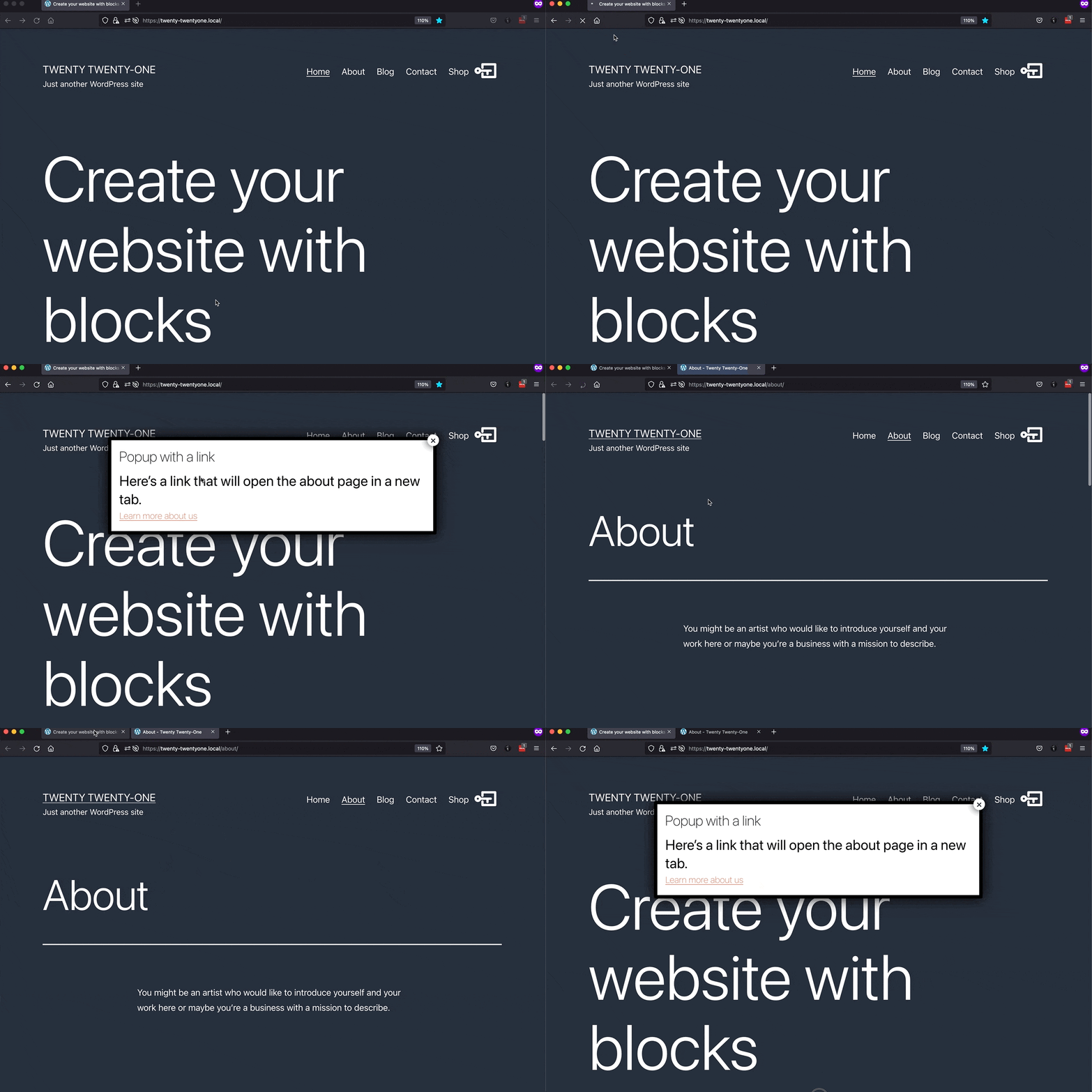
As you can see, a page opens in a new tab, but the popup stays open in the first tab. That's only half of our goal. We still need to close the popup.
If you don't want (or need) to edit a link in HTML, check out how to use the [Popup Maker close button shortcode](#what-about-the-close-button-shortcode). The close button shortcode will achieve the same thing except without writing any code.
## Step 1: Add popmake-close and pum-close CSS classes
Edit your link as [HTML](https://kinsta.com/knowledgebase/edit-wordpress-code/#post).
Add the Popup Maker [CSS](https://wppopupmaker.com/docs/getting-started/popup-maker-glossary-of-terms/#css) classes `popmake-close` and `pum-close` to your `a` tag (link tag). These classes tell Popup Maker to close a popup when we click a link that have those classes.
Here's our link now.
```
Link Text
```
Here's a demo of what we should see after adding those 2 CSS classes.
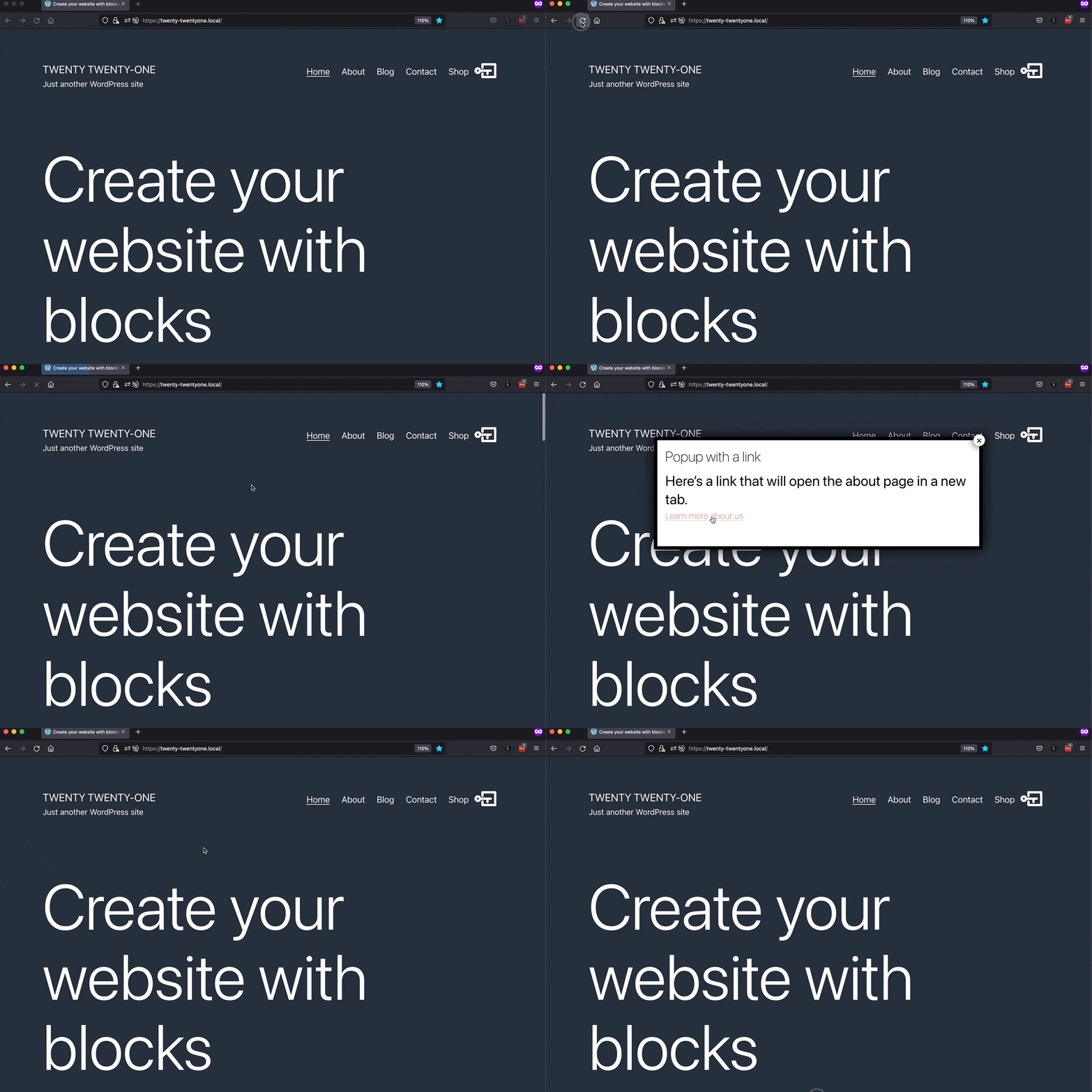
OK, cool. We can close the popup now. But our new tab isn't opening anymore. What gives?
That leads us to the next step. We told Popup Maker to close a popup with 2 CSS classes. The missing ingredient is to tell Popup Maker to also open the link (i.e., do the link's default behavior).
## Step 2: Add pum-do-default CSS class or data-do-default attribute
Add the `pum-do-default` class or use the `data-do-default` attribute to your `a` tag to open the new page.
**Example 1**: Here we add the `pum-do-default` class to open the link.
```
Link Text
```
**Example 2**: In this example, we add `data-do-default="true"` as its own link attribute to open the new page.
```
Link Text
```
**Publish** or **Update** your popup to save your changes.
Putting it all together, here's what we should see after doing step 2.
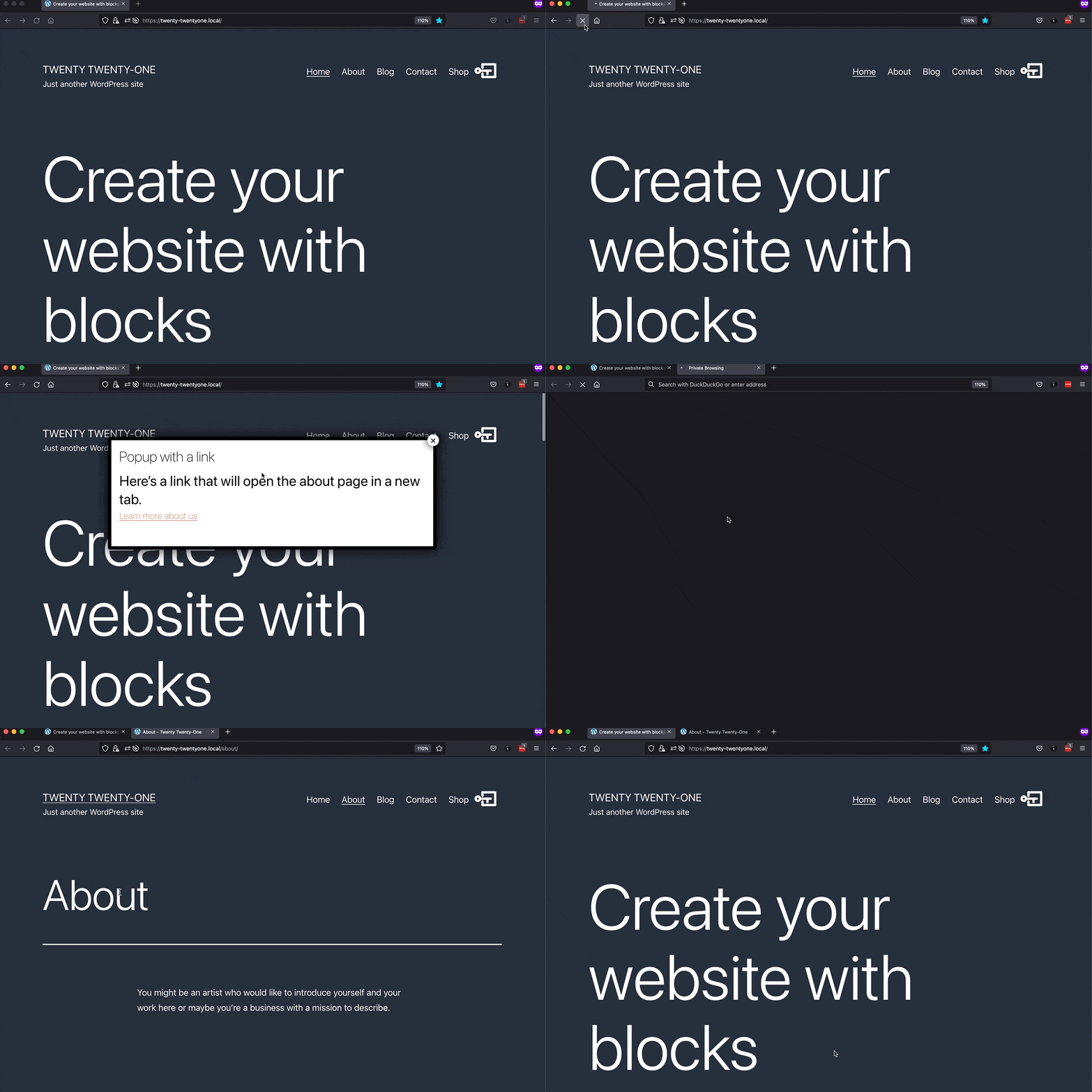
There we have it. The link in the popup opens a page in a new tab, and then Popup Maker closes the popup in the original tab. Mission accomplished 🎉
### pum-do-default CSS class versus data-do-default attribute
Which way is better? Both and neither. They'll do the exact same thing. It's just a matter of preference whether you want to use a *data* attribute or a CSS *class* name.
## What about the close button shortcode? [#](#what-about-the-close-button-shortcode)
We can also open a page in a new tab and close a popup using Popup Maker's **Popup Close Button** shortcode.
You can add the Popup Maker close button shortcode via the Popup Maker shortcode button menu in the classic editor's toolbar.
If you don't see the shortcode button menu in the toolbar, make sure your **Popup Maker Settings** > **Misc** > **Disable the Popup Maker shortcode button** setting is not checked (it should be off by default).
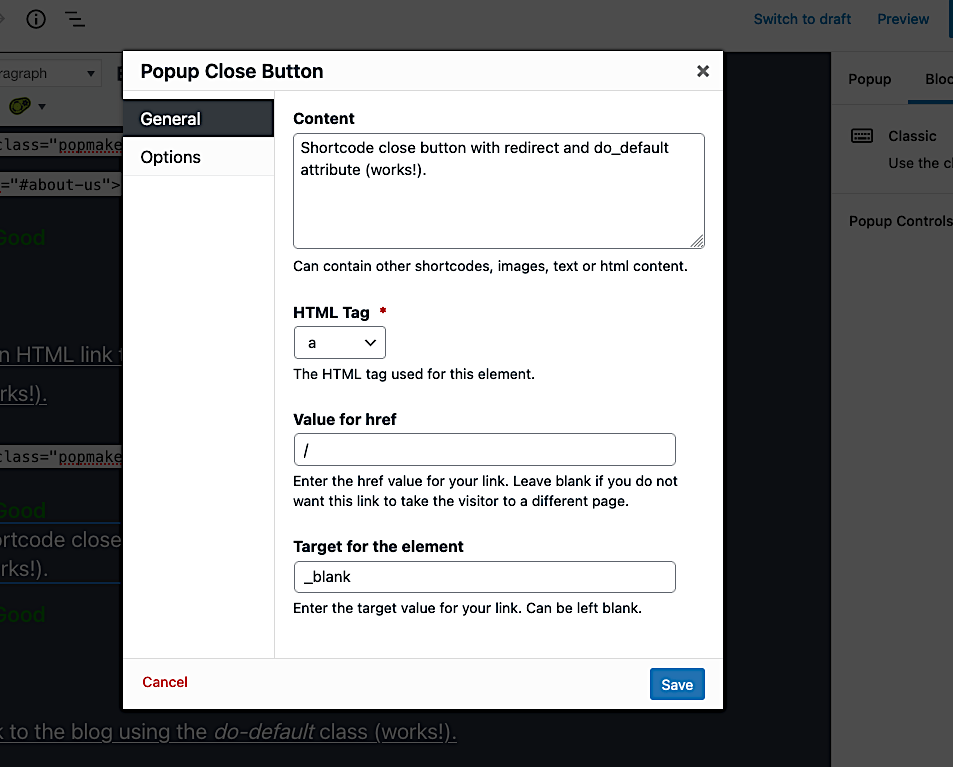
From the shortcode button menu, click **Popup Close Button**.
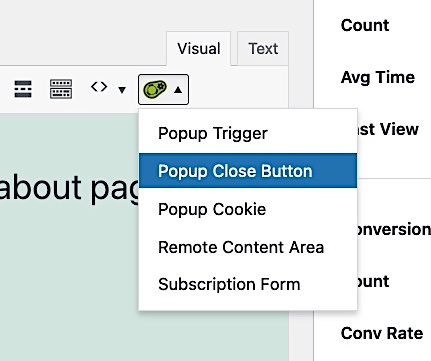
In the **General** tab, do the following:
1. Type the text for your link in **Content** text area.
2. Select `a` for the **HTML Tag**.
3. Enter the URL for the link in the **Value for href** field.
4. Type `_blank` in the **Target for the element** field.
5. Click **Save.**
In the **Options** tab, check the **Do not prevent the default click functionality** setting (turn it on). Turning on that setting makes sure clicking your *extra* close button closes the popup and the button link opens in a new tab.
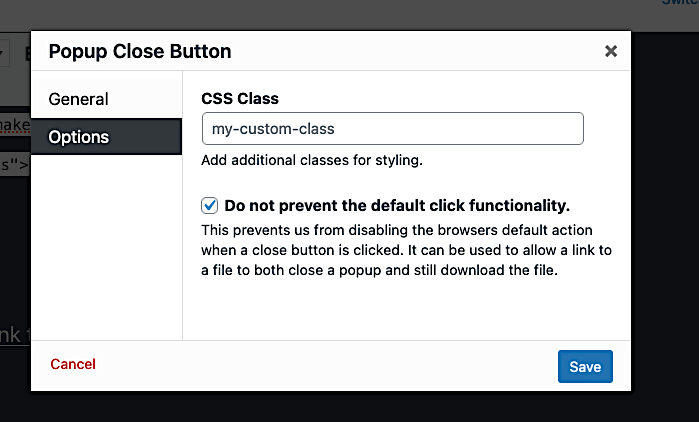
Then, click **Save**.
Remember to click **Publish** or **Update** to save your changes.