

I've just installed this plugin, created a pop-up, and it's affecting my styling when I'm in the Divi editor!
Here are two screenshots. You can see what the popup looks like (ignore that it's ugly - I just wanted something visually obvious for now), and what the page behind it looks like (with special header font, etc). And then you can see what it looks like when I'm in the "build on the front end" part of Divi. The pop-up is mostly white, and the header fonts are all reset to some system default.
I really don't want to turn off all my plugins and look for a conflict if there's some other troubleshooting I can do first!
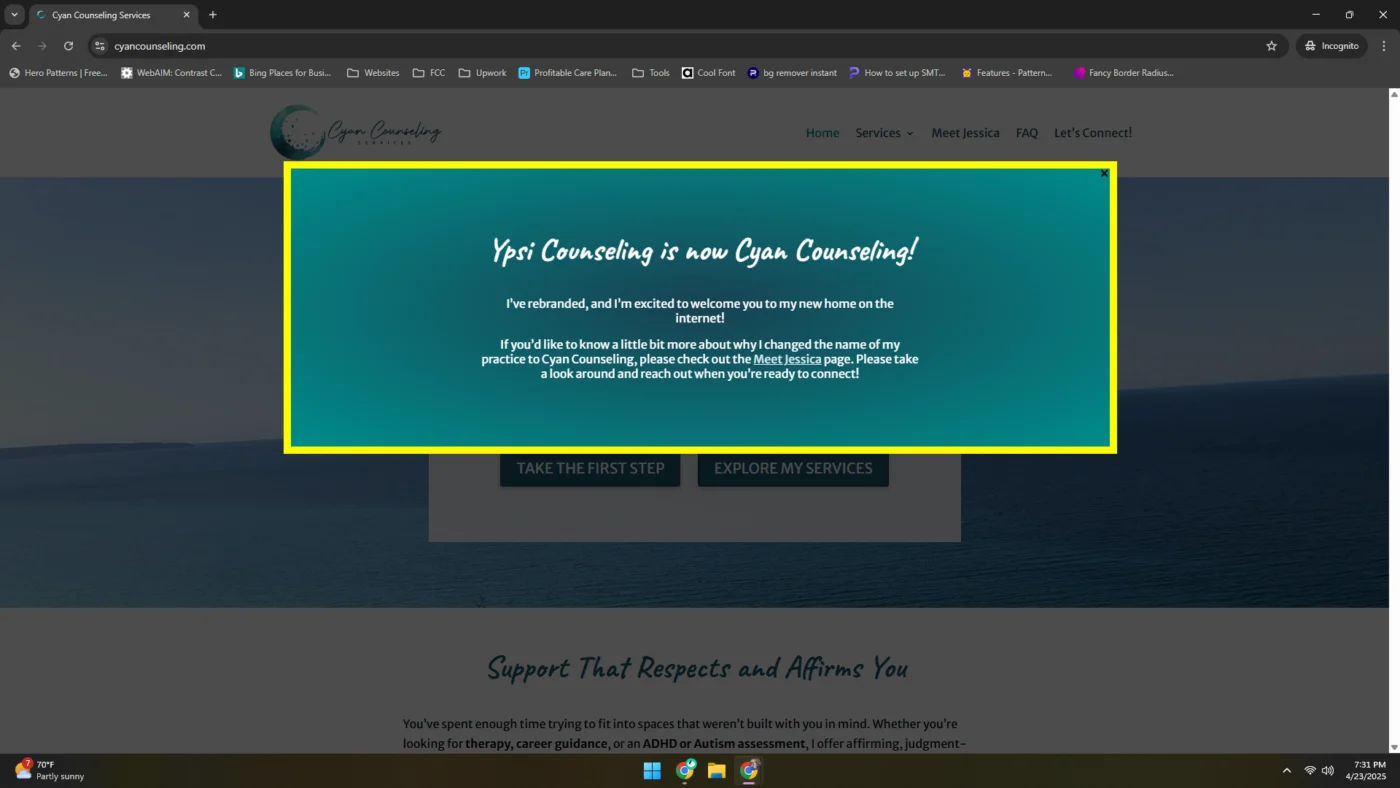
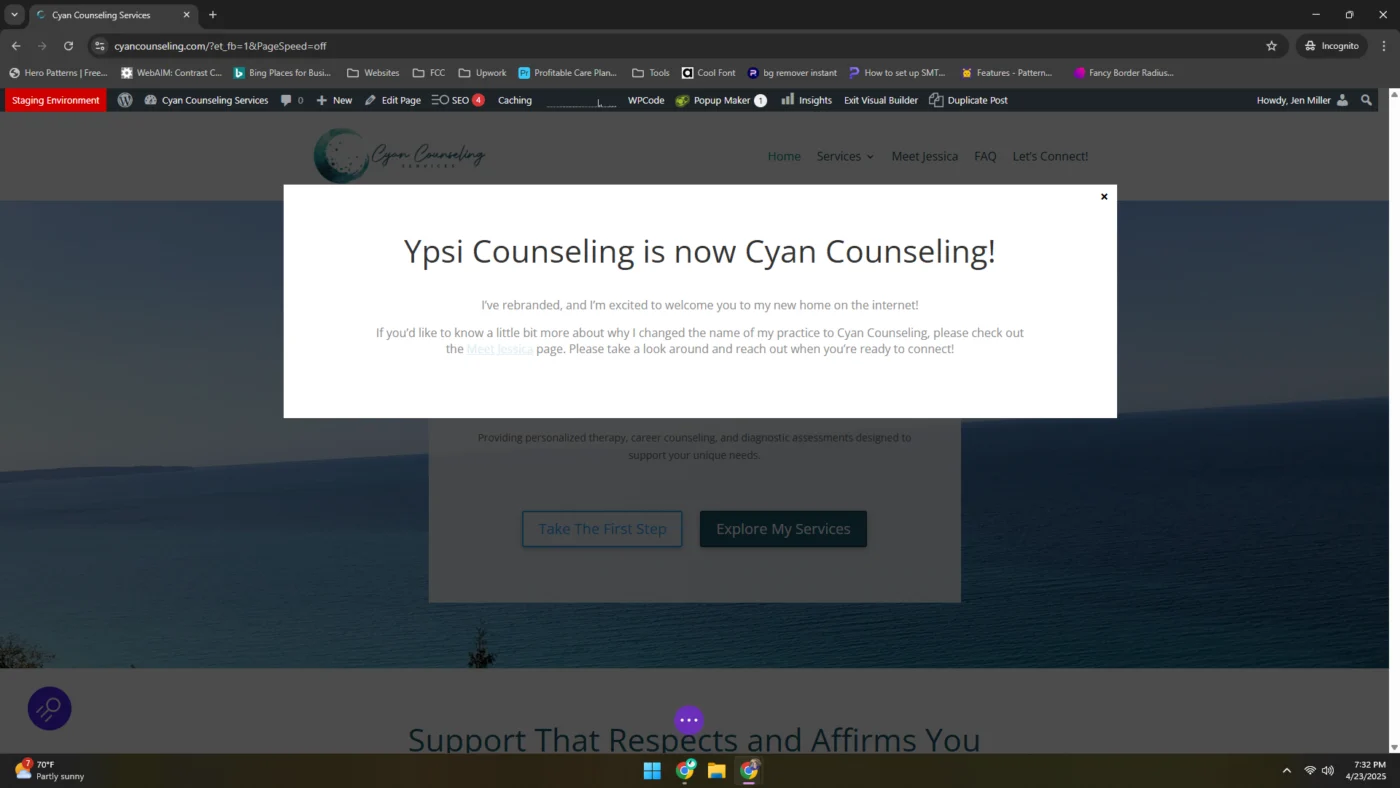

Are you attempting to edit the popups contents in a front end editor version of divi builder? This might not work out of the box, many page builders don't quite work right due to how our popups are private post types (don't have a url) and typically rendered as part of the footer (not using normal methods).
That said we have a guide, not sure how it differs from what your doing now, but last I tested Divi editing popups happened in the backend: https://wppopupmaker.com/tutorial/how-to-create-a-free-popup-for-divi-builder/#step-2-create-your-popup

Daniel Iser Thanks for your reply! And I should have mentioned, but no, I'm not trying to edit the popup. I did figure out how to do that with Divi in the back end. I'm just trying to edit my page. Actually, I should go turn of popup maker just to be 100% sure that it's not something else causing the problem. BRB . . .
Daniel Iser Well, this is weird. I turned off popup maker, and the editing looks 100% normal. I turned it back on, and at least everything on the page has the styling it should have, which makes it much easier to edit the page. The popup still doesn't look right when I'm in "build on the front end" mode, but I guess that doesn't really matter since I'm not trying to edit the popup there.
Jenifer Miller Ok so if your popup is set to show every time (no cookies) or you haven't dismissed it, it could show up during editing of other pages.
You can try simply toggling it off for now in the All popups screen while editing then turn it back on.
We can look at auto disabling them if the editor is active in a future version if they are using front end editing now.
Daniel Iser it's actually set to show up every time but with cookies for dismissal. Doesn't matter how many times I dismiss it inside the front-end builder, it always comes back.
Jenifer Miller If the popup also uses divi this is likely a result of loading a divi template outside the editor on the same page. Their code probably isn't set up for that, resulting in not loading the CSS for the popup or similar.
If it doesn't effect the frontend rendering your probably good to ignore the popup styling there.
Daniel Iser a couple thoughts. I'm not going to use this popup for very long, so I can deal with the weirdness it's giving. I'm also confident that I didn't break my site by installing it.
That said, I see this error message on my back end. I'm sharing because not everyone who uses Divi will understand how to manage this. Like I said, I don't need this fixed to be OK, but others might. Maybe there's a way for you to work with Divi to make this work?
It honestly might also be Bluehost. I don't like them, but that's where this site is. Just letting you know.
Jenifer Miller You can just click the "keep current method" and it will go away.
When I have my popup enabled it is causing formatting issues with a Divi Plus accordion element at https://cyancounseling.com/faq (password is cyan). It makes the answer on the first accordion element lose the accordion faq related classes, so then the text color is set by some other CSS. Unfortunately that results in white text on a white background.
I'm wondering if these two plugins just aren't compatible and I should try to find another popup maker? I'm committed to the accordion solution I'm using.
Jenifer Miller Many users utilizing them together. That said last I tested Divi myself it was only the admin editor, no front end. They may have changed a lot of stuff in the process.
I can almost 100% guarantee the issue doesn't come from our plugin, specifically create an empty popup and load it on the page, disable the others. Likely the issue goes away?
Might be worth reaching out to their support in general.
Effectively your trying to render a template outside the main WordPress content loop, in addition to the main content loop templates.
If they are only expecting the main templates, they may intentionally only load CSS once, based on the first template call, but ignore the rest for example it could cause something like this.
That would likely still occur even if you didn't have our plugin and ran a code snippet to render the other template in the footer for example.
If that is the case, the fix can likely only come from their end. Even if the solution is a small hack on our end to trick theirs explicitly into doing it right, we would ultimately need them to provide guidance on how that needs to work first.
(I'm playing with another pop up tool right now, so if you want me to reenable yours so you can look, reach out and I'll do it as soon as I can. Ultimately I need to get this live today, though.)
Jenifer Miller we understand that for sure.
Jenifer Miller Is that the only element you found that breaks? Is that a standard Divi element?
I want to say that there was one other element that something was wrong with, but it was late last night and I don't remember for sure. The accordion element is Divi Plus, and it turns out that Divi Plus also has a modal element that can trigger on page load, so I ended up just using that. I really appreciate your help here, and I will definitely come back to this plugin if I need it on a future build that doesn't use Divi Plus!