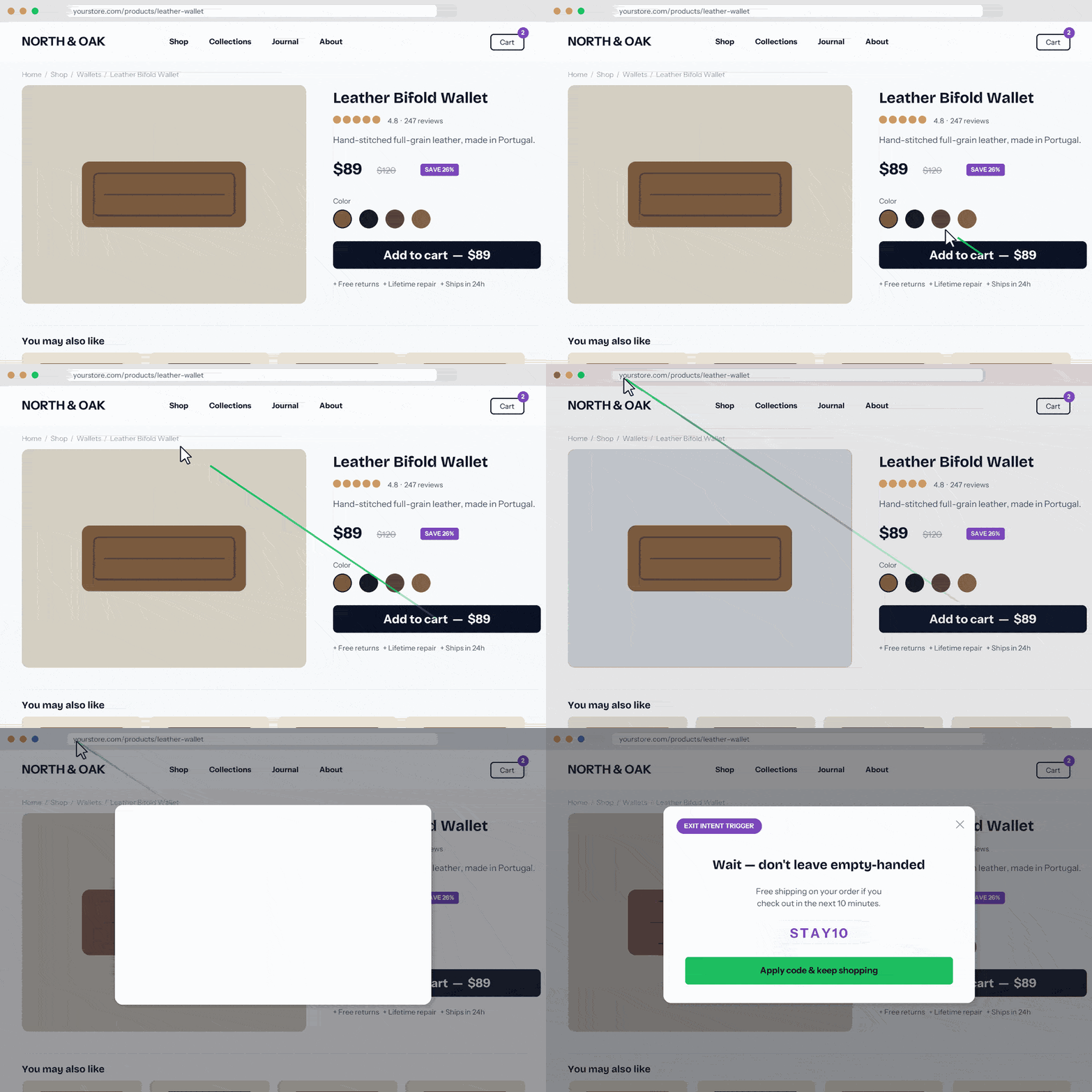
Most exit-intent plugins do one thing: watch for the mouse to cross the top of the browser window. That misses every mobile visitor, every tab-switcher, and every back-button tap — which, on most sites, is the majority of exits.
Popup Maker Pro’s exit intent trigger ships with six detection methods across desktop and mobile, each independently tunable. You pick the combinations that match how your visitors actually leave.
Exit intent is a trigger on any Pro popup — meaning it decides when to open, while your existing targeting conditions decide who sees it. Enable it on a popup you’ve already built. No separate workflow.
Why Six Methods Instead of One
A “desktop mouse-leave only” exit-intent tool is effectively blind to:
- ~60% of traffic that’s on mobile (no mouse to leave)
- Users who tab-switch to compare prices (lost-focus catches this)
- Users who tap back after bouncing off the wrong page
- Users who click an outbound link without ever moving toward the top of the window
Each method covers a distinct exit pattern. Enable the ones that match your audience — a cart page might use Mouse Leave + Back Button + Mobile Scroll; a long-form article might use Mouse Leave + Lost Focus + Mobile Time.
Exit intent is a last-chance interception. It works when you have something specific to offer a leaving visitor — not as a blanket “please don’t go” guilt trip.
Cart Abandonment (E-commerce)
Visitor adds a product, drifts toward the address bar. Exit-intent popup fires with a targeted offer: free shipping, a small discount code, or a simple “email me this cart” option. Pair it with a WooCommerce or Easy Digital Downloads conversion condition so it only targets visitors with items in cart.
Newsletter Capture (Content Sites)
Reader finishes an article, scrolls up on mobile, or switches tabs. Exit-intent popup offers the related content upgrade or the newsletter signup — tied to the topic they just read via URL or category conditions.
Content Upgrades & Lead Magnets
Same mechanic, different value exchange. Exit on a buyer’s guide? Offer the PDF version. Exit on a comparison post? Offer the calculator or template.
Discount Pop-ups on Product Pages
Combine the Back Button method with a coupon offer — the visitor clicked through to a product, decided to bail, and one interception might flip the decision.
Survey Triggers
Lost Focus or Mouse Leave can trigger a one-question survey for visitors who aren’t converting. “What stopped you today?” gets answers you can’t get any other way.
A generic “Don’t go!” popup converts poorly. A popup that shows the right offer to the right visitor converts well. Exit intent alone catches when someone leaves — Popup Maker Pro’s 42 advanced targeting conditions let you decide who sees it and what they see.
A few real examples:
- WooCommerce cart recovery — Fire only for visitors with items in their cart, offer a 10% discount code with “Complete Your Purchase,” skip returning customers who’ve already seen it this week.
- Geo-targeted campaigns — Show a “Free US shipping” popup to visitors browsing from the US on cart, but a “Europe-friendly payment options” popup to visitors browsing from the EU.
- Repeat-buyer offers — Target visitors who’ve previously purchased a specific product category. Exit-intent popup offers the complementary product at a loyalty discount.
- Topic-matched content upgrades — Reader on a keto recipe article gets a keto meal-plan PDF offer on exit. Reader on a sourdough article gets the starter guide. URL or category conditions drive the match.
The result is a popup that feels like it was built for that visitor — not a blanket interruption. You nudge them toward the sale without being pushy, and the conversion numbers reflect it.
Aggressive exit intent annoys. Conservative exit intent misses. The defaults are a reasonable middle, but:
- If you’re seeing false-positive complaints, raise the False Positive Delay to 500-750ms and lower the Top Sensitivity to 5px.
- If you’re seeing low fire rates, lower the delay to 200ms and raise the Top Sensitivity to 25-30px. Consider adding Lost Focus as a secondary method.
- On mobile, the default 10% upward scroll threshold catches most real exits. Raise to 15-20% if you’re firing on minor scroll corrections.
Always pair exit intent with Popup Maker’s cookie system so a single visitor isn’t seeing the same popup on every pageview. One fire per session, or one per 24 hours, is usually right.
Exit intent works best as part of a full behavioral setup:
- Popup Scheduling — Run an exit-intent offer only during a promo window (Black Friday weekend, product launch week).
- Advanced Targeting — 42 conditions in Pro let you fire exit intent only for the right traffic (cart has items, came from Google, never converted, viewed 3+ pages).
- Analytics Dashboard — Pro’s reporting shows exit-intent popup impressions, conversions, and time-to-conversion, so you can tune which methods actually perform on your site.
- Form integrations — Newsletter or lead-magnet captures via Gravity Forms, WPForms, Fluent Forms, etc.