🚀 Stop Losing Visitors — Turn Traffic into Revenue with Popup Maker Pro →

Get Started

Brizy Integration

Design Popups in Brizy. Control Them with Popup Maker.

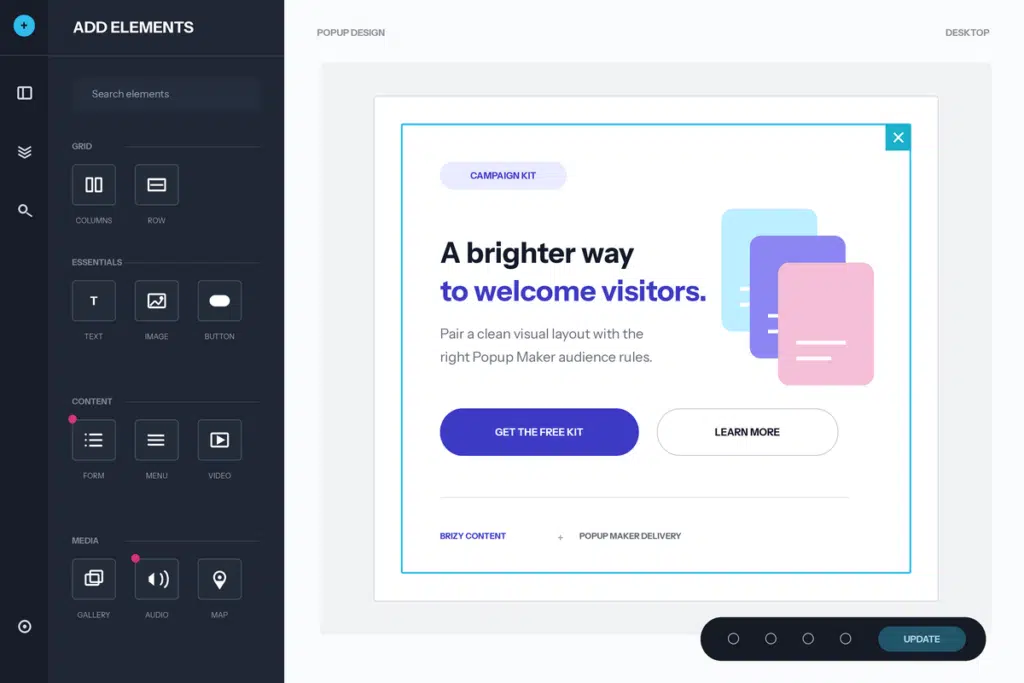
Build popup content in Brizy's visual editor, then use Popup Maker for when, where, and how each popup appears.

Brizy Popups

Popup Maker + Brizy

Brizy popups combine an approachable visual design workflow with Popup Maker’s purpose-built campaign controls. Drag elements into place, use global colors and fonts, refine the responsive layout, and keep the design attached to the popup instead of maintaining a separate template.

The integration deliberately separates responsibilities. Brizy owns the visual document inside the popup. Popup Maker owns popup behavior—triggers, targeting conditions, cookies, positioning, and delivery. You can keep the design workflow your team already knows without giving up Popup Maker’s purpose-built controls.

Use that combination for lead magnets, product announcements, limited-time offers, signup prompts, and other campaigns that need both a polished Brizy layout and reliable display rules. Preview the complete popup before launch, then change the audience or timing without rebuilding the design.

Build Better Brizy Popups

Review the official Brizy resources, then use Popup Maker targeting and popup triggers to show the finished design to the right visitors at the right time.

More Page Builder Integrations

Explore other visual builders supported by Popup Maker:

Frequently Asked Questions

  • Can I edit Popup Maker popups with Brizy?

    Yes. Open an eligible Popup Maker campaign with Brizy and design its content with the builder’s visual controls. The design stays attached to that popup.

  • Does the integration require Popup Maker Pro?

    No. The Brizy page-builder compatibility layer is included in Popup Maker’s free core. Brizy’s own plan determines which Brizy elements, templates, and features are available to you.

  • Will Brizy styles and scripts load inside my popup?

    Yes. Popup Maker loads the Brizy styles and scripts needed by the campaign. Preview the final popup on the frontend and test any interactive or third-party elements before launch.

  • Will an auto-height popup become full-screen in the Brizy editor?

    No. The editing canvas lets an auto-height popup size to its content, making it easier to judge the layout at realistic popup dimensions.

  • Can I still use Popup Maker triggers and targeting?

    Yes. Brizy owns the popup’s visual document, while Popup Maker continues to control opening triggers, targeting conditions, cookies, positioning, and other popup behavior.

  • Does Brizy's own Popup Builder replace Popup Maker?

    No. This integration is for using Brizy as the content-design surface for Popup Maker popups. Popup Maker remains the popup delivery and behavior system.

Details

Brizy

IntegrationFree

Design popup content with Brizy's visual editor while Popup Maker handles triggers, targeting, cookies, and delivery.

Get StartedDocumentation

Quick Links

Easy Installation

Create your first popup in minutes

Proven Support

Help is available when you need it.

Docs That Help

Help is available when you need it.

Ready to start poppin’?

Popups that don’t stop

If your ready to supercharge your site's popups, you'll want to check out our exciting list of premium features

Buy Now