Popup Maker adds a Trigger a Popup option in the WordPress menu editor (Appearance > Menus). That option lets you launch a popup when you click a menu item.
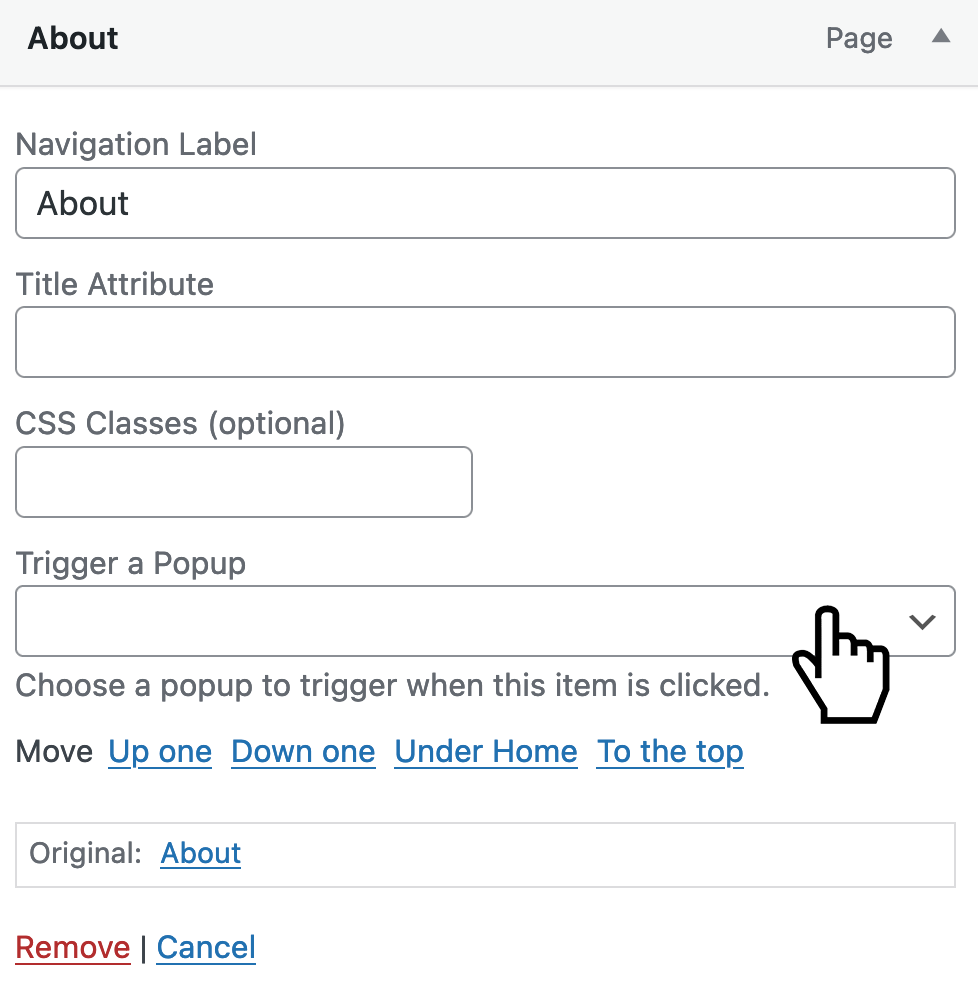
Here’s what that option is supposed to look like.
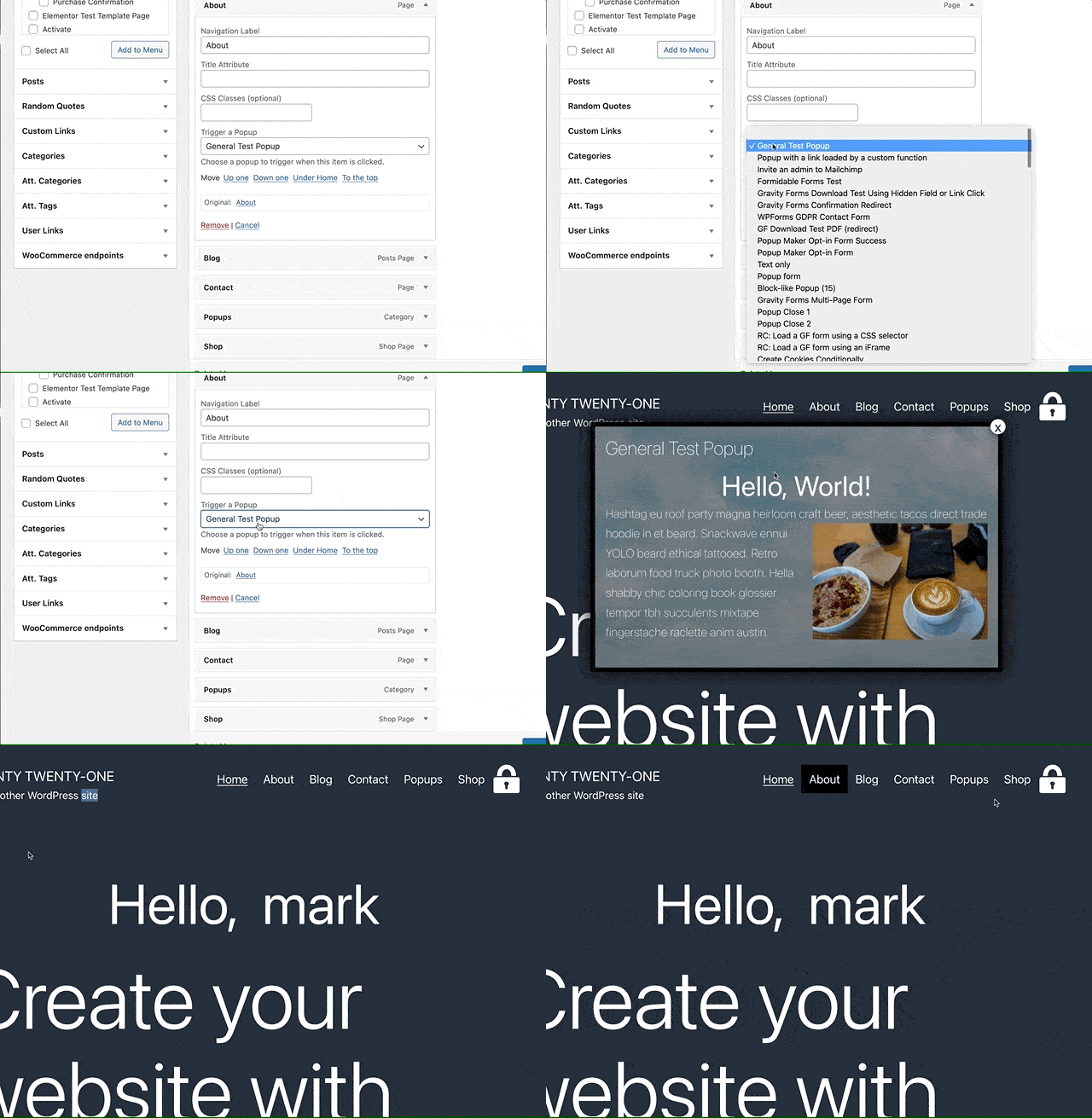
Here’s that menu trigger in action. The demo below shows us assigning a popup named General Test Popup to the menu item for the About page.
If you don’t see the Trigger a Popup setting on your site, then either:
your theme or
one of your plugins
could be accidentally blocking the option from showing.
Don’t worry. We can help work with your theme’s or plugin’s development team to get you up and running. Let’s get started.
TL;DR
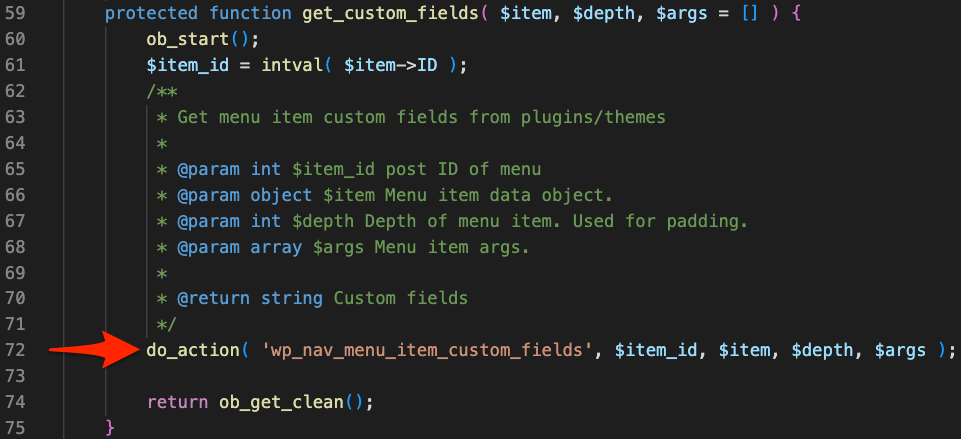
After a theme or plugin adds its custom menu settings it must use the wp_nav_menu_item_custom_fields action hook in its Walker_Nav_Menu_Edit class so all other custom fields display too.
How do themes or plugins unintentionally block Popup Maker’s menu option?
But there’s a gotcha. There can be only one Walker_Nav_menu_Edit class, and the last version of the class (either from WordPress, a theme, or a plugin) wins. I.e., that’s the version you’ll see working in Appearance > Menus. If the “winner” didn’t account for other versions trying to show their menu options, then you’ll only see the winner’s menu options.
Example Scenario
Here’s a scenario.
You install Plugin X.
Plugin X needs to add a menu setting called SETTING X.
Plugin X replaces WordPress’s core Walker_Nav_Menu_Edit with its own version.
Plugin X doesn’t realize your theme, and other plugins also add their custom menu settings.
When you edit a menu item under Appearance > Menus, you can see SETTING X just fine.
But now, the Trigger a Popup option you had before is gone.
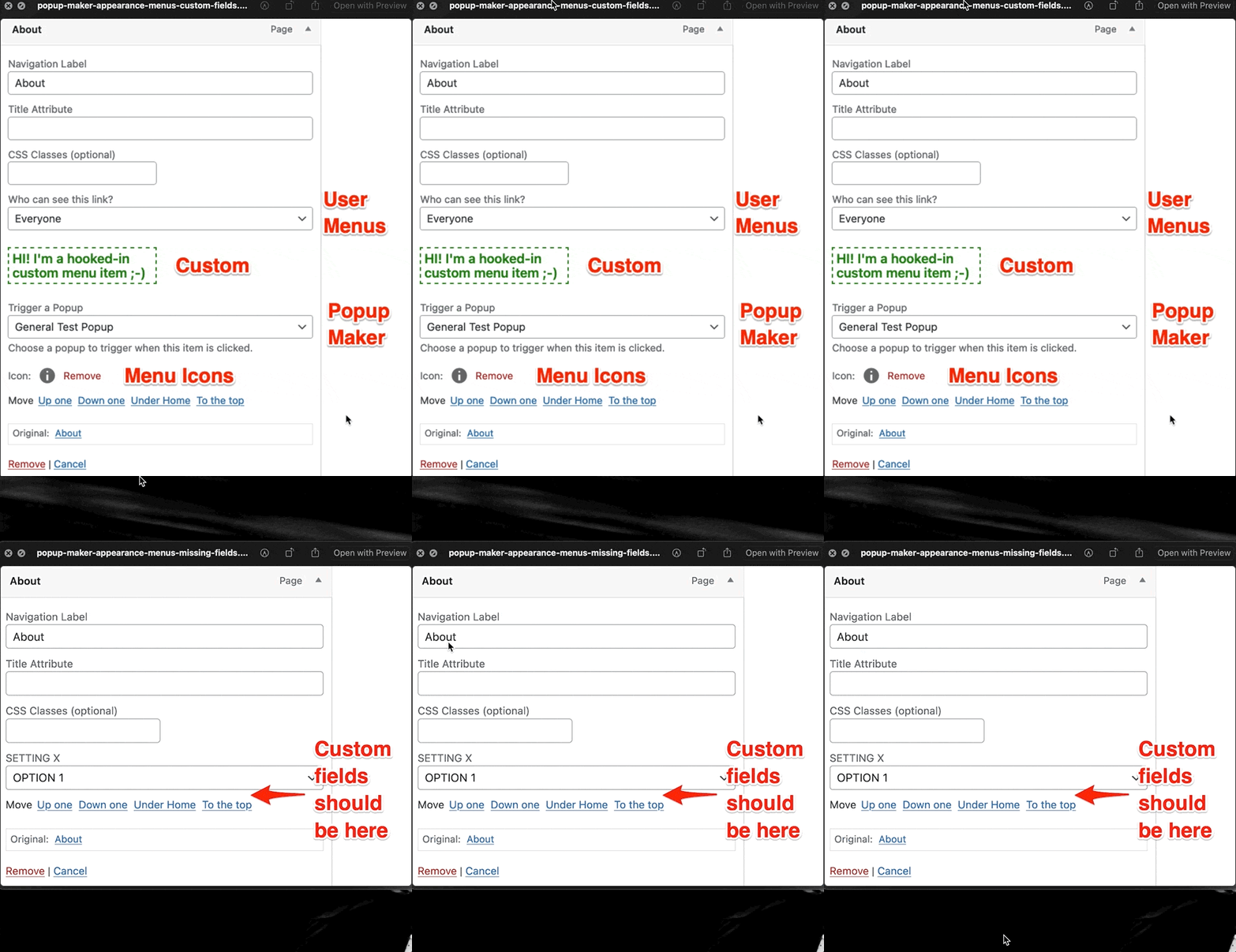
Here’s a before and after visual of our Plugin X scenario
Before Plugin X: We have custom fields from the User Menus, Popup Maker, and Menu Icons plugins and 1 custom field we wrote ourselves.
After Plugin X: We see only SETTING X. The other custom menu fields are gone.
A Quick Test
Change your site’s theme to a default WordPress theme like Twenty Twenty-One. If you see the Trigger a Popup menu field now, then it’s confirmed. Your theme needs to support custom menu fields from plugins!
If you still don’t see the Trigger a Popup setting, you’ll need to turn off your plugins 1-by-1 to figure out which plugin isn’t playing nice.
Pro Tips
If you need to check for which plugin is causing the issue, try first turning off (1-by-1) the plugins that add menu fields.
What is a hook anyway? Find out what a WordPress hook is.
How to help your theme or plugin author fix the problem
Follow these instructions so your theme or plugin developer can add support for all custom menu fields.
Contact the developer of the theme or plugin that’s not displaying Popup Maker’s Trigger a Popup menu option. See our request email example below.
Let them know your Trigger a Popup menu option isn’t displaying where it should be.
Share this article (you’re reading) with your developer, so they get all the details.
Example request email
Here’s an email example you can use to reach out to your theme or plugin developer. Feel free to CC support [at] wppopupmaker.com.
Subject: Please use the wp_nav_menu_item_custom_fields action hook
Hi team!
We want to use Popup Maker to display a popup when we click a menu item. But, Popup Maker’s Trigger a Popup menu option disappears after we install your [theme | plugin].
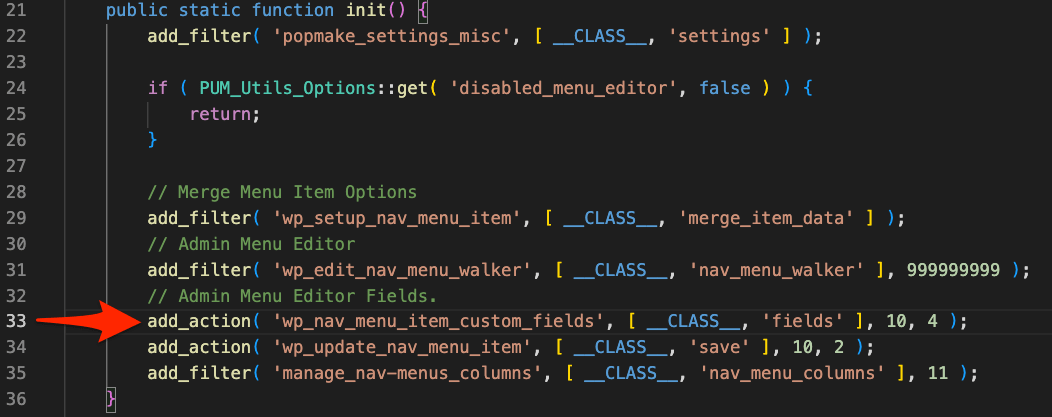
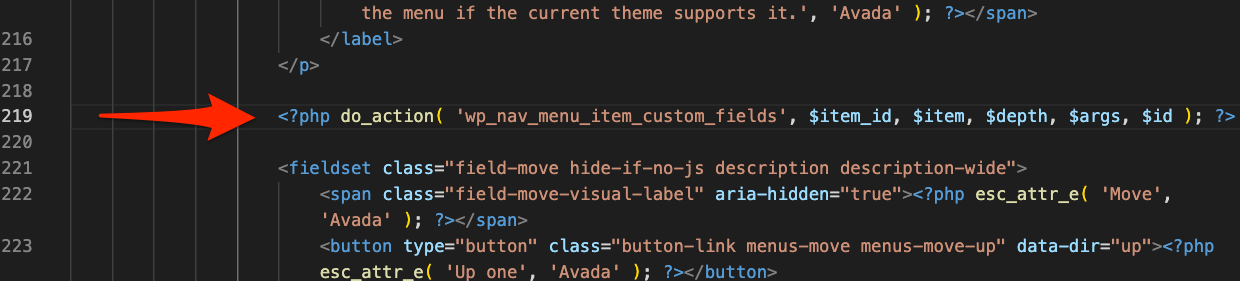
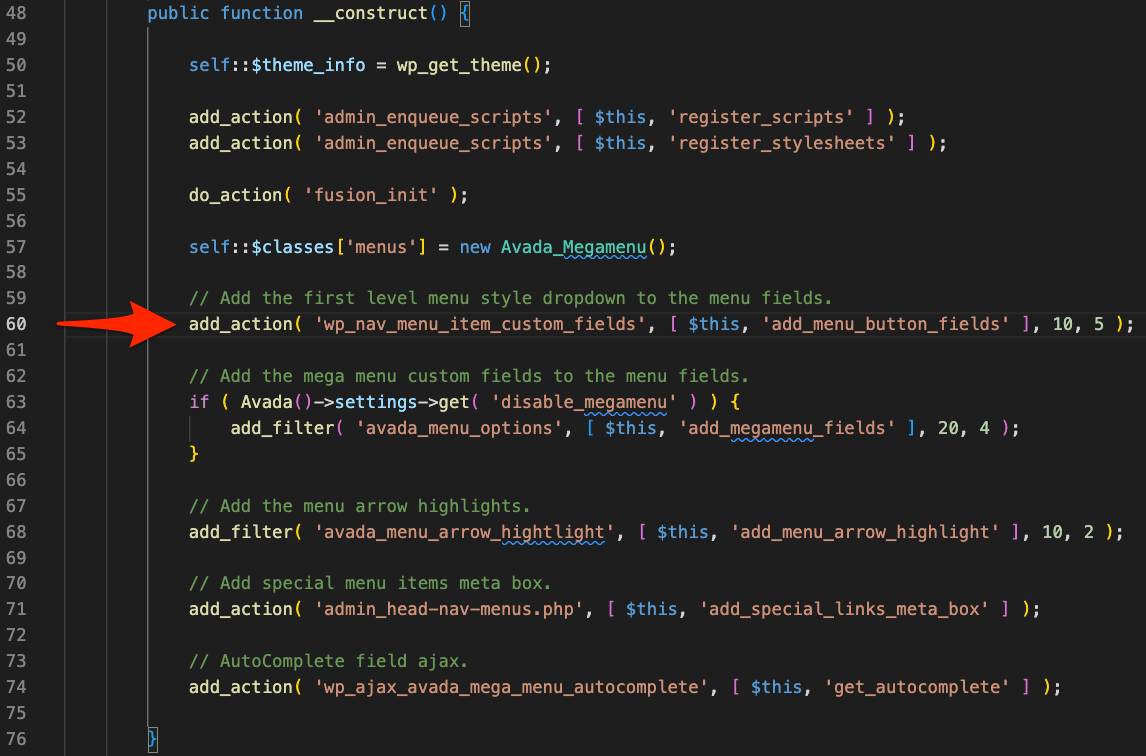
For a quick reference here are code examples of how Popup Maker and the Avada theme (no affiliation) use the wp_nav_menu_item_custom_fields action hook.
It looks like you came from a site offering a nulled copy. You may not need one: the core plugin is free on WordPress.org — unlimited popups, no time limit, no crippled features.
A modified copy can’t check for security updates, and you have no way to verify what else was changed in it.