1. Click Popup Maker > Calls to Action
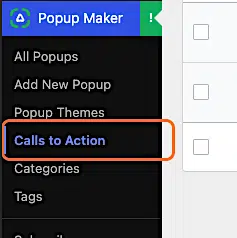
2. Click Add Call to Action

3. Type a Name for your CTA

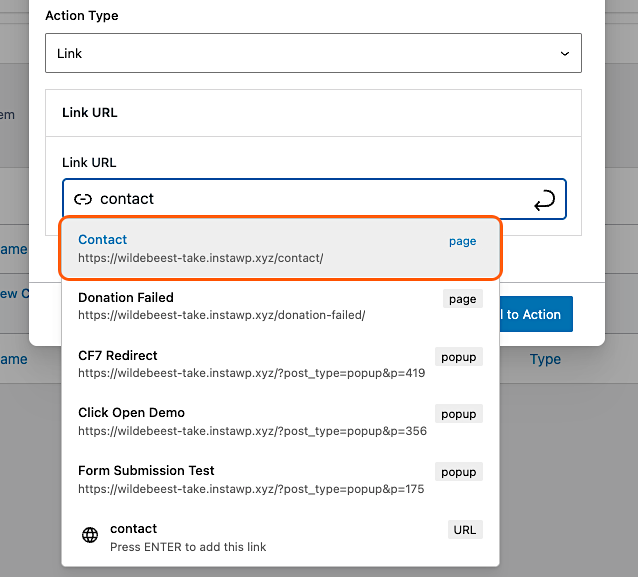
4. Select a link (URL)
Choose a link people will go to when they click your CTA. In our example, we picked the link to our Contact page.
5. Click Save Call to Action

6. Click Add New Popup
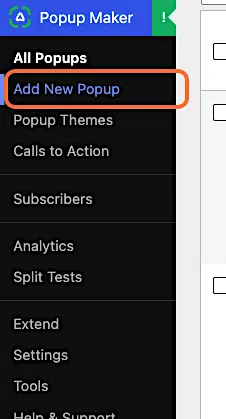
7. Name your new popup

8. Type /cta and click Call to Action Buttons
Type a forward slash (/) to add a new block. Type cta to search for the Popup Maker Call to Action Buttons block. Then click Call to Action Buttons.

9. Type your button text, e.g., “Contact us”

10. Click CHOOSE A CALL TO ACTION under CTA Settings in the sidebar
Keep the Call to Action Buttons block highlighted (active).

11. Select your CTA
Click the Call to Action you created earlier.

12. Add a popup trigger
You’ll need a trigger to make your CTA popup appear. If you’re new to popup triggers, follow our Add a Popup Trigger guide.
13. Click Publish
Click Publish to save your changes and make your popup live. 🎉
You’re done!


