Overview
Welcome to the Popup Maker admin Settings Cheat Sheet guide. Go to Popup Maker > Settings to find these tabs.
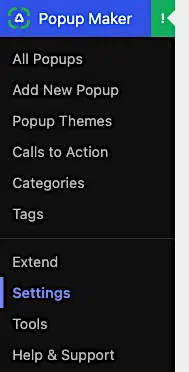
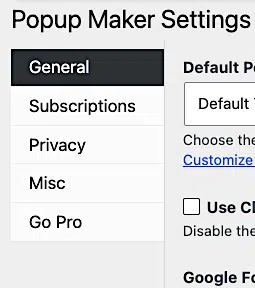
- General: Set a default popup theme, switch to the classic editor, add a Google Fonts API key, and turn usage tracking on or off.
- Subscriptions: Pick a default newsletter provider and customize the messages people see from your built-in subscription forms.
- Privacy: Turn off popup analytics tracking and set defaults for the Subscription Form shortcode‘s consent field.
- Misc: Manage ad blocker bypassing, admin and editor features, asset caching, styling, and plugin uninstallation.
- Go Pro: See what Popup Maker Pro unlocks, and activate your license key if you already own it.
General Settings
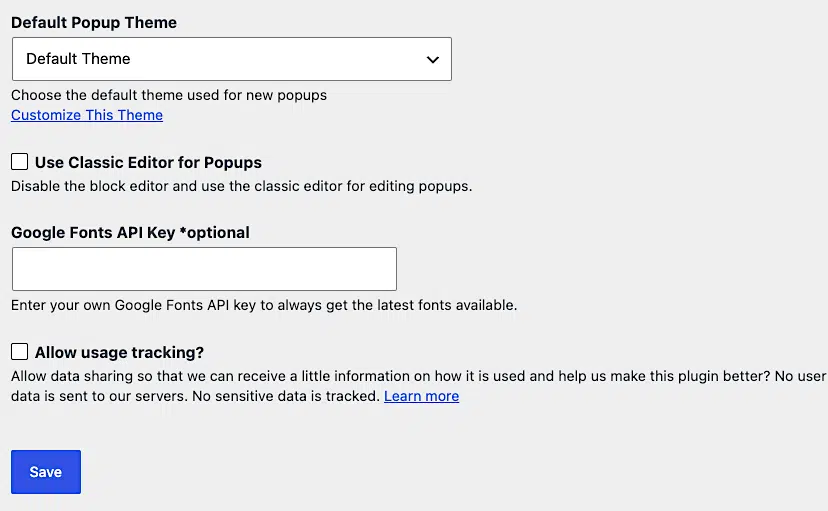
Always remember to click Save to save all your changes.
Default Popup Theme
Click the dropdown and pick the theme you want as your default. Once you click Save, every popup you create afterward starts out with that theme.
For example, if you set Light Box as your default, all new popups take on that lightbox style until you change them.
Use Classic Editor for Popups
Popup Maker uses the WordPress block editor for popups by default. If you’d rather build popups with the classic editor, check this box.
Note: This is the opposite of how older versions of Popup Maker worked. Earlier versions asked you to turn the block editor on. Now it’s on by default, and this setting lets you switch back to the classic editor instead.
Google Fonts API Key
This field is optional. If you already have a Google Fonts API key, enter it here so Popup Maker always pulls the latest fonts available.
Allow Usage Tracking?
Check this box to share some basic usage data with us so we can keep improving Popup Maker. We respect your privacy: we don’t collect any personal identifiable information (PII), and no sensitive data ever gets tracked.
Subscriptions Settings
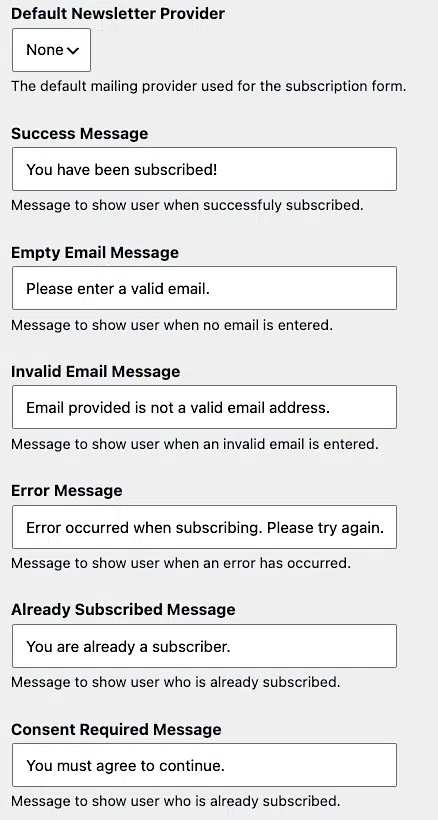
The Subscriptions tab controls the default settings for the built-in Popup Maker Subscription Form shortcode. You can override any of these defaults for a single form while you’re editing it in the popup editor.
Default Newsletter Provider
Pick which mailing provider your subscription forms send new subscribers to. This dropdown lists every provider your installed extensions support (for example, the Mailchimp Integration or AWeber Integration extensions), plus None if you’d rather not connect a provider.
Subscription Form Messages
These fields set the default text people see when they interact with any Popup Maker subscription form. Edit any of them to match your brand’s voice.
- Success Message: Shows after someone subscribes successfully. Defaults to “You have been subscribed!”
- Empty Email Message: Shows when someone submits the form without an email address. Defaults to “Please enter a valid email.”
- Invalid Email Message: Shows when someone enters an email address that isn’t formatted correctly. Defaults to “Email provided is not a valid email address.”
- Error Message: Shows when something goes wrong during subscription. Defaults to “Error occurred when subscribing. Please try again.”
- Already Subscribed Message: Shows when someone who’s already on your list tries to subscribe again. Defaults to “You are already a subscriber.”
- Consent Required Message: Shows when someone submits the form without agreeing to your consent field (see the Privacy settings below). Defaults to “You must agree to continue.”
Privacy Settings
The Privacy tab has two sections: General and Subscription Forms.
General
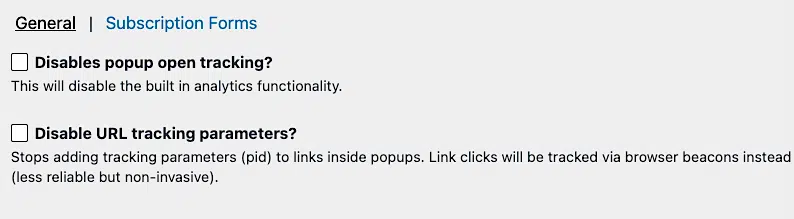
By default, Popup Maker tracks how many times each popup opens. You can turn that off here, either site-wide or per popup.
- Disables popup open tracking?: Check this to turn off the built-in analytics functionality for every popup. You can also turn off tracking for a single popup in the popup editor‘s Analytics panel.
- Disable URL tracking parameters?: Check this to stop Popup Maker from adding tracking parameters (
pid) to links inside your popups. With this on, link clicks get tracked through browser beacons instead — less precise, but non-invasive.
Subscription Forms
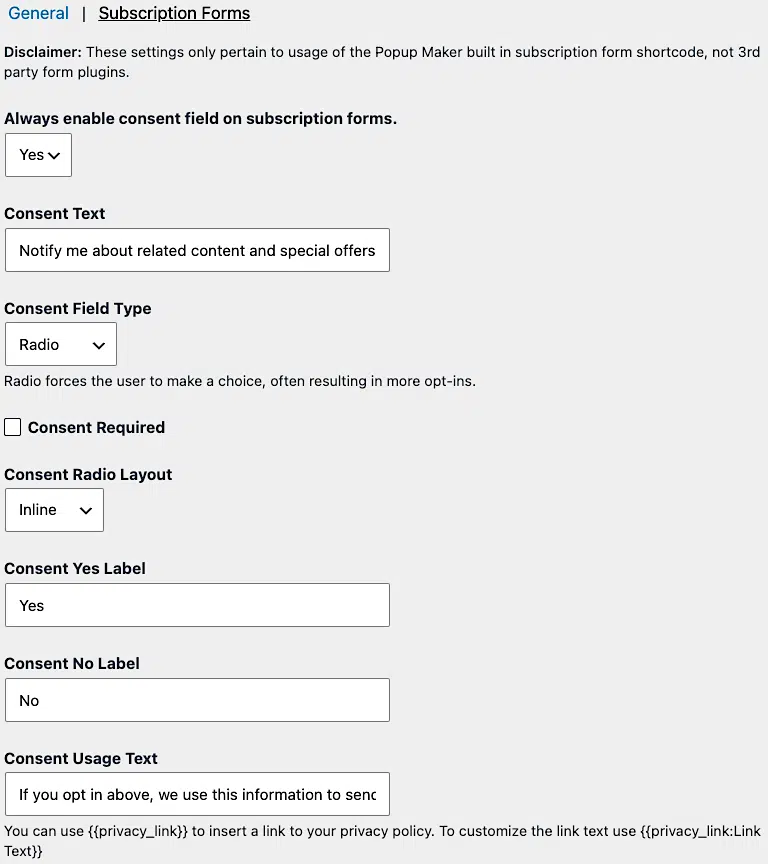
These settings only apply to the built-in Popup Maker Subscription Form shortcode — not 3rd-party form plugins. They set the defaults for every subscription form’s consent field; you can override any of them for a single form while editing it in the popup editor.
- Always enable consent field on subscription forms.: Choose Yes (the default) to always show a consent field, or No to leave it off by default. The remaining fields below only show up when this is set to Yes.
- Consent Text: The label people see next to the consent field. Defaults to “Notify me about related content and special offers.”
- Consent Field Type: Choose Radio or Checkbox. Radio buttons force people to make a choice, which often leads to more opt-ins.
- Consent Required: Check this to require people to give consent before they can subscribe.
- Consent Radio Layout: Choose Inline or Stacked. This only applies when Consent Field Type is set to Radio.
- Consent Yes Label and Consent No Label: The text for each radio option. Default to “Yes” and “No.” These only apply when Consent Field Type is set to Radio.
- Consent Usage Text: The fine print below the consent field explaining how you’ll use people’s info. Defaults to “If you opt in above, we use this information to send related content, discounts, and other special offers.” Use
{{privacy_link}}Link Text{{/privacy_link}}to insert a link to your privacy policy with custom link text.
Misc Settings
The Misc tab has two sections: Misc and Assets.
Misc
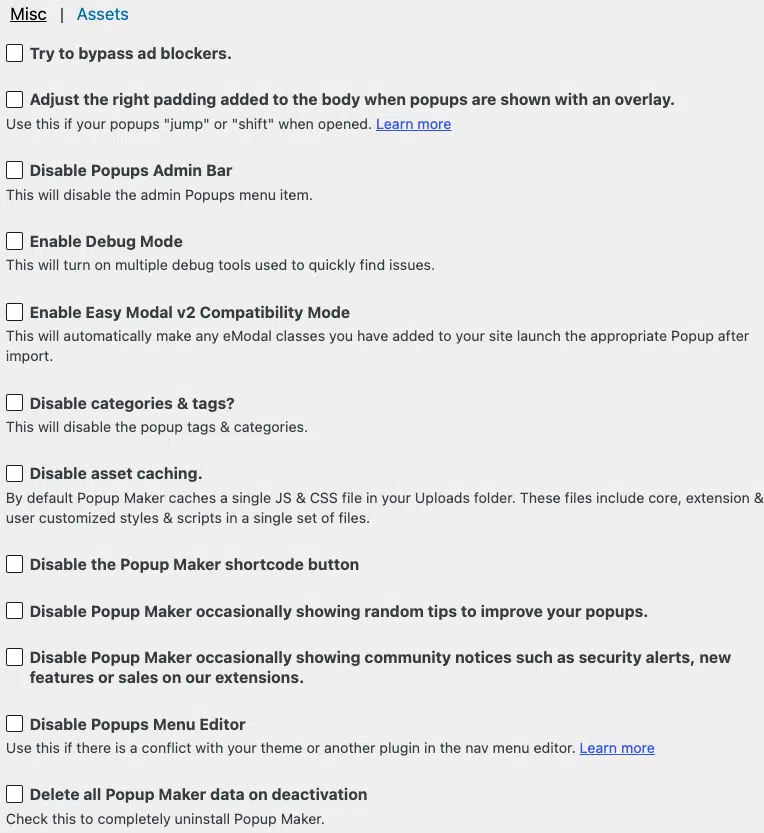
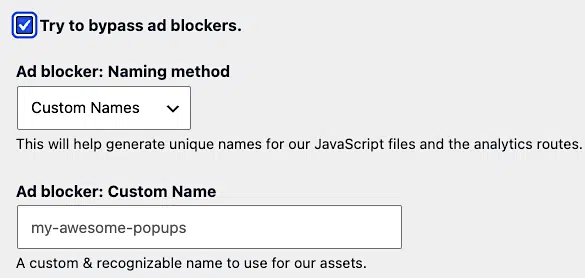
Try to bypass ad blockers.
Some browsers block popup-related scripts by default, which can stop your popups from loading. Check this box to have Popup Maker try to work around ad blockers.
Once you turn this on, two more fields show up:
- Ad blocker: Naming method: Choose Randomize Names or Custom Names for Popup Maker’s JavaScript files and analytics routes. This is set to Custom Names by default.
- Ad blocker: Custom Name: When you choose Custom Names, enter a recognizable name (like
my-awesome-popups) for Popup Maker’s assets to use.
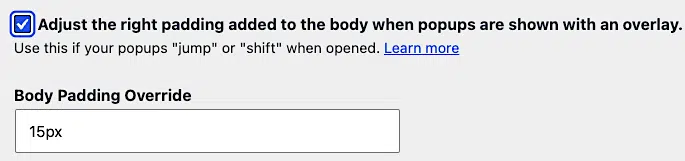
Adjust the right padding added to the body when popups are shown with an overlay.
If your page shifts or jumps when a popup with an overlay opens, check this box to adjust the page’s padding. Learn more about why this happens.
Once checked, a Body Padding Override field shows up so you can set the exact padding value (for example, 0px ). 15px is the default.
Disable Popups Admin Bar
Popup Maker adds a Popup Maker item to the WordPress admin toolbar so you can preview and test published popups on the front end. Check this box to remove that toolbar item.
Enable Debug Mode
Popup Maker includes a set of debugging tools you can use to check plugin settings on any popup. This is off by default. Check this box to run the Popup Maker debugger in your browser console.
Pro tip: You don’t have to turn this setting on to debug a single visit. Add ?pum_debug to the end of any URL on your site to temporarily turn on debug tools in the browser for that page load.
Enable Easy Modal v2 Compatibility Mode
If you imported your settings from the Easy Modal plugin, check this box to have Popup Maker automatically launch the right popup for any eModal classes still on your site.
Disable categories & tags?
Leave this box unchecked if you want to organize your popups with categories and tags — handy once you’ve got a lot of popups. Check it to turn categories and tags off.
Disable asset caching.
By default, Popup Maker caches a single JS file and a single CSS file in your Uploads folder, combining core, extension, and your own customized styles and scripts. If your server doesn’t let these cached files load properly, check this box to stop the caching.
Disable the Popup Maker shortcode button
The classic editor includes a shortcode button that lets you add a trigger, close button, or subscription form to a popup. It’s on by default. Check this box to remove the shortcode button from the editor.
The shortcode button isn’t available in the block editor. There, add a Popup Maker shortcode inside a Shortcode block instead.
Disable Popup Maker occasionally showing random tips to improve your popups.
Check this box to stop seeing occasional tip messages while you work.
Disable Popup Maker occasionally showing community notices such as security alerts, new features or sales on our extensions.
Check this box to stop seeing community notices, like security alerts, new feature announcements, and discounts on Pro features.
Delete all Popup Maker data on deactivation
By default, deactivating and uninstalling Popup Maker keeps all your popup data in the database, so it’s ready to use again if you reinstall the plugin later.
Check this box if you want the opposite: when you uninstall Popup Maker from the Plugins admin page, this removes every popup, popup theme, and subscription form from the database.
Assets Settings
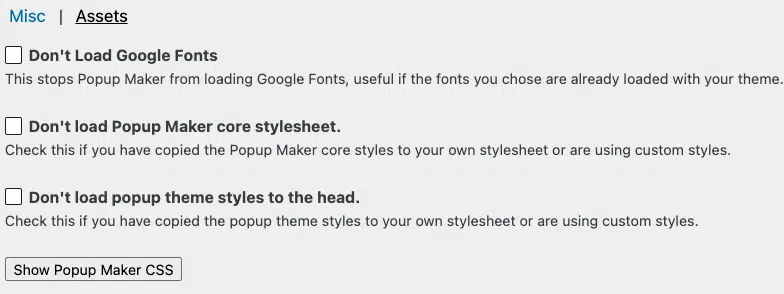
Don’t Load Google Fonts
Popup Maker loads Google Fonts for use in your popup themes. If your active theme already loads Google Fonts too, check this box to stop Popup Maker from loading them a second time and slowing down your site.
Don’t load Popup Maker core stylesheet.
Check this box if you don’t want Popup Maker’s core styles loading. This is handy if Popup Maker’s CSS clashes with your theme, or if you’d rather maintain your own copy of the CSS (see Show Popup Maker CSS below).
Don’t load popup theme styles to the head.
If you’ve copied Popup Maker’s theme styles into your own theme stylesheet, check this box to stop Popup Maker from loading a second copy and hurting performance.
Show Popup Maker CSS
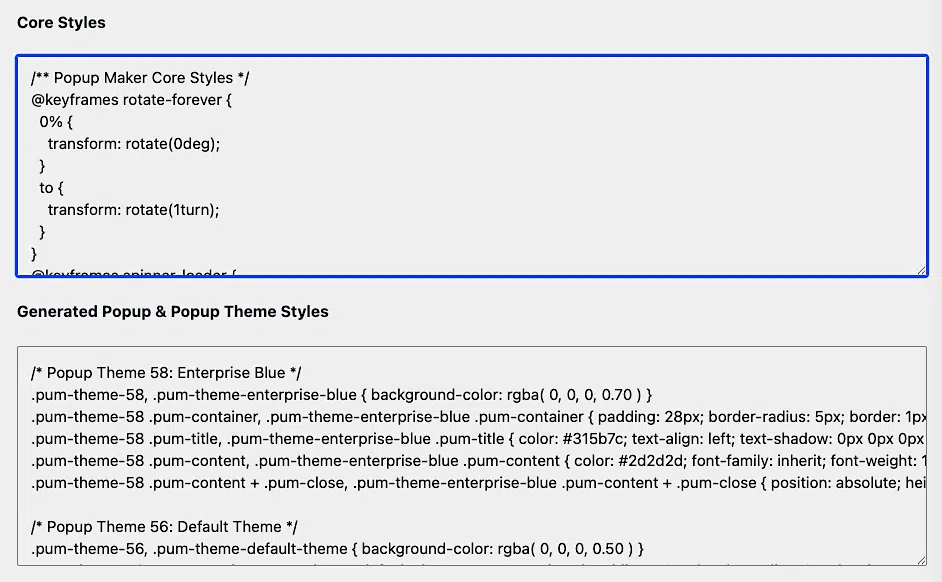
Click Show Popup Maker CSS to display the plugin’s core and theme styles.
This makes it easy to copy the CSS for your own customizations, and it’s handy when you want to trim unused popup theme styles to help your site’s performance.
Go Pro Settings
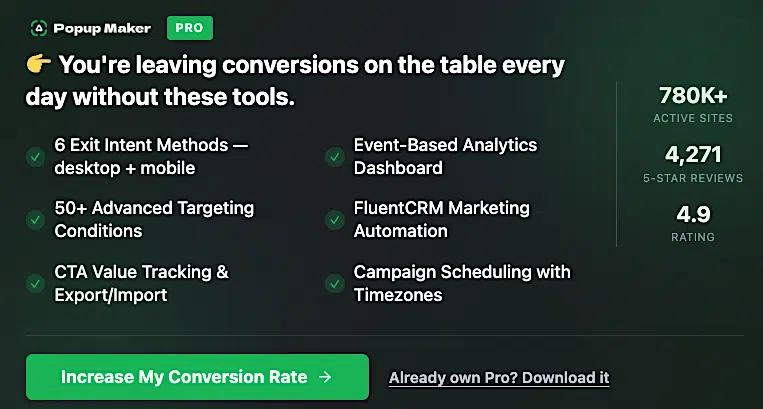
If you’re on the free version, the Go Pro tab shows you what Popup Maker Pro unlocks, like exit-intent triggers, an analytics dashboard, and dozens of advanced targeting conditions.
Already own a license? Enter and activate your license key here to unlock your Pro features and start receiving updates.


